
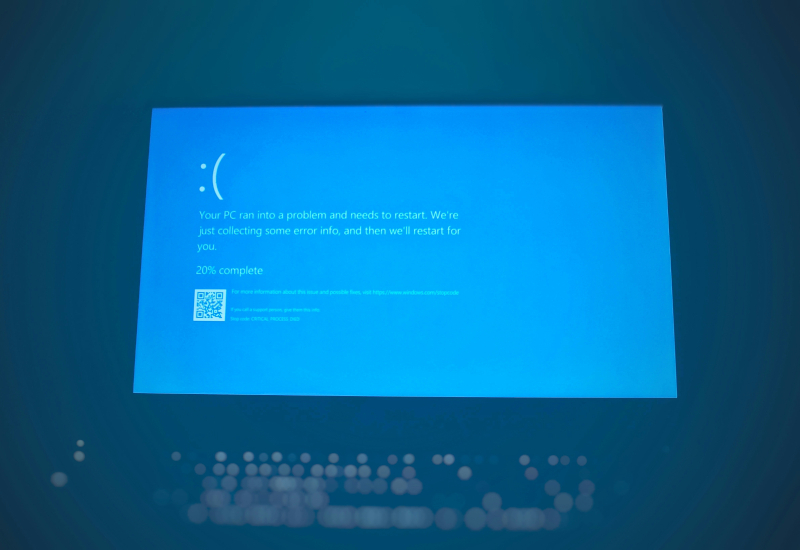
Dell SupportAssist update caused widespread blue screens and endless restarts of laptops
Problem: Updating Dell SupportAssist Remediation 5.5.16.0 causes a “blue screen” and infinite restarts
1. Who noticed?
Users on the Dell Support forum discovered that after installing the April 30 update, their laptops (XPS 15 9530, Pro Plus 14) repeatedly crash with a “Blue Screen of Death” and automatically reboot every ~30 minutes. The failure continues until the software is removed.
2. What does the failure look like?
In memory dumps analyzed with WinDbg, an error code 0xEF (CRITICAL_PROCESS_DIED) was found. The trigger appears to be the process `DellSupportAssistRemedationService.exe`, located in
`C:\Program Files\Dell\SARemediation\Agent`.
3. Who confirmed the issue?
- *Sygent* – owner of an XPS 15 9530 on Windows 11 (BIOS 1.29.0) posted a detailed dump analysis.
- *MartinHBS2026* reported the same on a Dell Precision 3571; crashes disappeared after uninstalling all SupportAssist components.
- *Waddo* logged a similar situation on a Dell Pro Plus 14.
4. How to fix?
1. Disable the service:
```cmd
sc.exe config "Dell SupportAssist Remediation" start=disabled
```
Run the command as administrator, then reboot the PC. Other Dell diagnostic utilities remain active.
2. Completely uninstall `SupportAssist Remediation` and the module `OS Recovery Plugin for Dell Update`. Both methods eliminate crashes for all testers.
5. Context
This isn’t the first time such behavior has occurred: in January of last year, a similar problem was discussed on the same forum after updating SupportAssist Remediation for Windows 10/11. WinDbg analysis then also pointed to Dell software, but an official fix never appeared.
6. Additional risks
Earlier versions of the SupportAssist package contained serious vulnerabilities that allowed attackers to gain remote administrative access on Dell computers.
Conclusion: if your Dell laptop has started “blue‑ing” after updating to 5.5.16.0, disable or completely remove the SupportAssist Remediation service – it quickly and effectively resolves the issue. If you want to keep Dell diagnostics, simply disable the service via `sc.exe`.
 Asted Cloud
Comments (0)
Share your thoughts — please be polite and stay on topic.
Log in to comment